Cyborg pet portrait
PawSnap style: Cyborg Mode
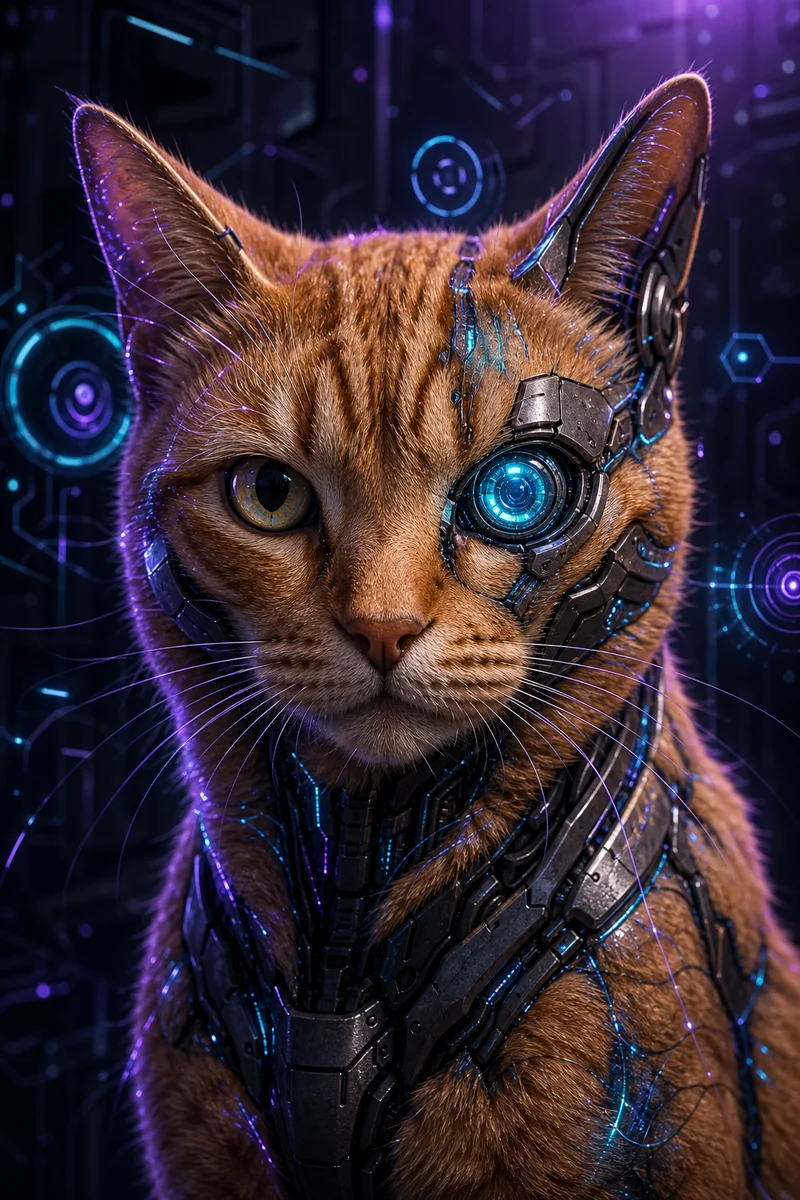
The cyborg portrait adds technology to your real pet. Sleek matte-metal plates run along the jawline and shoulders, circuit-board fragments show beneath translucent skin, and fiber-optic strands are woven through the fur. One eye is replaced with a glowing cyan camera-lens iris, while the other keeps its original color.
- Free preview
- ~30s render
- No signup
- HD $0.99
What a Cyborg Pet Portrait looks like
Subtle holographic interface elements float around the head against a dark matte panel with violet rim light and lens flare. The mood is cinematic sci-fi with photorealistic effects, and no brand logos appear on any tech. Fans of science fiction and gaming use it for avatars, posters and gifts.
- Matte-metal plates along the jawline and shoulders
- Circuit-board fragments beneath translucent skin
- One glowing cyan camera-lens eye, one natural eye
- Fiber-optic strands woven through the fur
- A dark panel background with violet rim light and lens flare
Who it suits
Sci-fi fans, gamers and people who like a dramatic, slightly eerie portrait. Pets with a clear face and visible eye color work best, since one natural eye stays. The tech is an accent, and your pet stays recognizable.
How to make one
- 1. Upload one photo of your pet — no sign-up.
- 2. Tap Generate with Cyborg Mode selected; the preview takes about 30 seconds.
- 3. Download the free preview or the watermark-free HD file.
Photo tips for this style
- Use a sharp close-up with both eyes visible; one stays natural and one becomes the lens.
- Side or soft light shows fur and jawline shape for the plates.
- Avoid heavy filters so the real eye color is kept.
Cyborg Pet Portrait questions
Which eye becomes the cyan lens?
One eye becomes a glowing cyan camera lens, and the other keeps its original color.
Will it still look like my pet?
Yes. Breed, fur color and markings stay, and the tech is added as accents on top.
Are there brand logos on the tech?
No. No company logos or markings appear on any of it.
How much does it cost?
The preview is free and carries a small watermark. A single watermark-free HD file is $0.99, or a plan from $9.99 a month covers 60 HD renders. Plans cancel anytime.